
How to Create an Account and Request a Reservation
**If you already have a Paw Partner account from a different facility, stop here and call or email us. We can find your account and add you to our list using your email address. You can then log in to your account, click on My Businesses on the left, and search for us. Then you can sign our agreement/release form and request a reservation as described below.
Three ways to start your account:
For desktop or laptop computers, click on the blue and pink paw/heart symbol at the top right corner of our website. This will take you to Pawpartner.com. Click on “Create Account” in the top right corner. (Or you can go straight to pawpartner.com)

If you are using your cell phone and are on our website, click on “Log In” on the top left corner.
If you are using your cell phone and search for pawpartner.com, you can click on the Menu lines in the top right corner.
Congratulation- you found it! After agreeing to the terms of service, you can now enter your info to create your account. This is where you put in your name, phone number, address, etc. Please note that in the “Emergency Contact” field, you can put your partner’s name & phone number but we ALSO want the name & phone number of someone who is not traveling with you who we can contact in case of emergency. They do not have to be in Durango.
Next, add the info about your pet. You can even add a cute profile picture (your pet, not you- we are dog & cat centric here- no offense to silly humans!)
You can add more pets, or create a reservation. At this point, the system will ask you which facility you want to use. The list is based off your home zip code. You might see something like this:
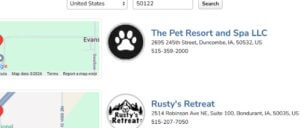
Simply change the zip code at the top to 81301 which will take you to us: 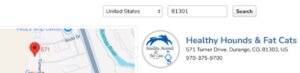
Next screen will have some choices.
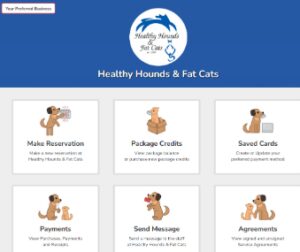
Click on “Agreements”. I know we all hate to read contracts, but this one is important- it involves your precious pups or kitties! Sign at the bottom using your cursor then hit the back button. Don’t worry, we won’t judge your handwriting here. Now you can click on “Make Reservation”
If you have multiple pets be sure to click on all pets you want to include in your reservation although you will have to do dogs & cats separately. See how both Bella & Loki are outlined in red? They are both selected. 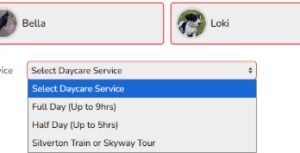
Select your service, dates, and times. For most services, the drop off time is meant to be “within an hour of 9:00 a.m.” or whatever time you choose. Boarding pets must be here by 3:00 p.m. at the latest. If you are riding the Durango Silverton Narrow Gauge Train round trip or bus/train combo, Choose “Silverton Train or Skyway Tour”. Leave the times as 7 a.m. to 7 p.m. DO NOT ADD “AFTER HOURS PICK UP” OR “BEFORE HOURS DROP OFF”. This is already included in your package. We will be in touch to confirm your train departure time and give you a bit more info. You can also request a bath or nail trim!
The system will ask a few more questions about your pet’s behavior- Be honest! We know how much you love them, we just need to know which group to put them in and how to handle introductions to other dogs.
Please note that you do NOT have to upload or enter vaccinations in order to submit your reservation, but you DO need to sign the agreement. See what it says below the big yellow box?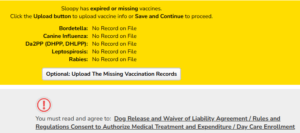
This is your last screen. We will let you know via text from 970-516-2490 if your request is accepted. We might put you on our waitlist and direct you to check your email for more detailed information. Don’t worry! Your reservation will be confirmed as soon as we get answers to the questions we send you. 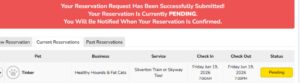
A final note- Please email vaccination records to [email protected] as opposed to uploading them to your profile. We definitely need to see these as soon as possible, even if you are still working on getting boosters. We need to see proof of current Rabies, Distemper/Parvo, Bordetella, Leptospirosis, and Canine Influenza. Canine Influenza is NOT the same as the parainfluenza that is bundled with Distemper. If the veterinarians in your area do not carry Canine Influenza please call us.
“Breeder Booklets” with handwritten info might not be accepted. We much prefer a printout from a veterinarian with dates given and date expiring.